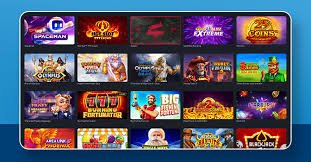
On this page, you'll find complete support in Bengali covering 70 bdt registration, login, mobile browsing, payment methods, and games. Whether you're a new user or an experienced member, easy-to-follow instructions are available for everyone.
The 70 bdt Help Guide is a complete Bengali reference created for users in Bangladesh, providing step-by-step information on every section of the platform. New members can easily understand the registration and login process here, while experienced users can find detailed information on payments, games, and account management. Everything is explained in plain language — how to use 70 bdt on mobile, how to navigate the cricket and football sections, and the rules for playing slots or live games. It also covers how to deposit and withdraw using local Bangladeshi payment methods such as bKash, Nagad, and Rocket. Whenever you run into an issue, check this guide first — you will find answers to most questions right here.
Find the information you need from the four sections below
Opening a new account, verifying your mobile number, setting a password, and resolving login issues — all explained step by step in Bengali. First-time users can create an account in just a few minutes.
Register70 bdt is easily accessible from any Android or iOS smartphone. Open the site in your mobile browser, add a shortcut to your home screen, and enjoy a fast loading experience. The platform runs smoothly even in data-saving mode.
Learn MoreDeposit easily using popular mobile banking methods in Bangladesh, including bKash, Nagad, and Rocket. Withdrawals are fast and secure. This guide contains detailed information on minimum deposit amounts and transaction limits.
View DetailsThis section describes how to navigate each category — cricket, football, slots, live casino. Cricket Fixture Guide and Football Fan Guide Learn more.
cricket Guide
Go to the 70 bdt website from a mobile browser or computer. Once the page loads, you will see the "Register" button in the top right corner. The site is fully in Bengali, so navigation is straightforward.
Enter your mobile number, password, and required details in the registration form. A verification code will be sent to your number. Use the code to activate your account.
After logging in, go to the Payment section and select your preferred mobile banking method. Deposits via bKash or Nagad are completed in just a few minutes. You can start from the minimum deposit amount.
After depositing, enter any section you like — cricket, football, slots, or live games. The rules for each game are written in Bengali. Lucky Dragon and Pirate Treasure Find special themed games in this section.
| Category | Description | Entry Point |
|---|---|---|
| Registration | Create an account quickly with your mobile number | Register |
| Login | Easy access with your number and password | Login |
| cricket | Live Fixtures, Scores & Analysis | cricket Guide |
| football | International & Local Match Coverage | Football Guide |
| slots & Games | Lucky Dragon, Pirate Treasure & More | Lucky Dragon |
| Support | FAQ & Guide | FAQ |
Get the latest fixtures, team information, and match analysis for Bangladesh and international cricket. Live score updates and the tournament calendar are all available in one place.
View cricket Guide
A dedicated section for Asian-themed slots and luck-based games. Play smoothly on mobile and understand each game's rules in Bengali. New games are added regularly.
View Lucky DragonFind answers to the most frequently asked questions about registration, payments, games, and account management — all in one place. Check this section first for quick solutions.
View FAQBrowse the questions below for quick answers
To open an account on 70 bdt, all you need is an active Bangladeshi mobile number and a strong password. The process begins by entering your name, mobile number, and password in the registration form. An OTP code will be sent to your number to verify your account. The entire process can be completed from a mobile device in just 2–3 minutes. After registration, go directly to the Login to start using the platform.
Yes, 70 bdt is built with a fully mobile-first design, so it works seamlessly on any Android or iOS smartphone. When you open the site in a mobile browser, it automatically displays in a mobile-friendly layout. Adding a shortcut to your home screen gives you an app-like experience. The platform runs smoothly even on slow internet connections and pages load quickly. 70 bdt can be accessed using mobile data from anywhere in Bangladesh.
70 bdt supports Bangladesh's most popular mobile banking methods, including bKash, Nagad, and Rocket. To make a deposit, log in and go to the Payment section, then select your preferred method. Enter the desired amount in BDT (৳) and follow the instructions. Your account balance is usually updated within a few minutes. For any payment-related questions, Q&A Section View.
The cricket section of 70 bdt features fixtures, live scores, and match analysis for international tournaments including the Bangladesh national team. The football section covers top leagues around the world, including the Premier League, La Liga, and Bundesliga. For more details, Cricket Fixture Guide and Football Fan Guide View both pages. Team information and statistics are updated before each match. This is a special feature for cricket fans in Bangladesh.
If you have trouble logging in, first make sure you are using the correct mobile number and password. If you have forgotten your password, use the "Forgot Password" option to send an OTP to your mobile number and reset it. Clearing your browser's cache and cookies often resolves the issue. Check that your mobile data or Wi-Fi connection is working properly. If the problem persists, in the FAQ section Find detailed solutions.
Register on 70 bdt and experience Bangladesh's best mobile entertainment platform. cricket, football, slots, and live games — all in one place, fully in Bengali.